Welcome to the Nintendo 3DS Series! Your source for in-depth information on the Nintendo 3DS!
Introduction: An Instant Hit
The Nintendo 3DS, released yesterday for North America, has already found its
way into many homes in Japan, Europe, and some lucky pre-order’s that were made before the release date. This latest system, abounding with features, is already a hit, and it’s select video games are at the top of Amazon’s bestsellers in their respective categories. My 3DS shipment arrived earlier today, and I must say, I’m thoroughly impressed, having finally been able to experience the proposed 3-D gameplay for myself. The one question I have wondered, as well as many others, is the legitimacy of the systems 3-D capabilities.
Experiencing 3-Dimensional Graphics
The key to the Nintendo 3Ds’ graphics is it’s depth slider. As you raise the slider upwards, the depth increases, until – at it’s peak, you experience the graphics as they were meant to be seen. Everything, from it’s menu to any of it’s menu features, is in 3D – which may be overwhelming to a first time player.
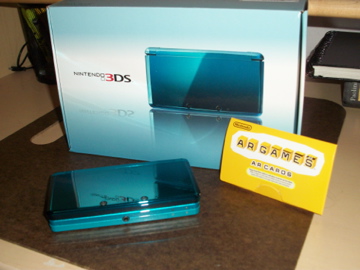
It’s highly suggested that you start off with 2-D and slowly move up as you go, letting your eyes adjust. It’s like waking up with 3-D glasses on during an action-packed 3-D movie (which someone has placed you in, from your bed to the theater) and the first thing you look at is the screen – you’ll be heavily disoriented. Move the system an arms length away from your sight and work from there – even standing with it until you feel comfortable would be an option. It takes time to adjust to the graphics, but when you’re comfortable with it, the results are astounding. The Nintendo 3DS truly does let its players experience 3D without glasses, with the same exact same effect as a 3-D movie (debatably, even greater). After playing the game a second time, hours later, my eyes have adjusted to the graphics quite well, without any discomfort whatsoever.
If the above tips don’t work for you, then an alternative method may prove more effective. When you get the system, ensure that the 3D depth slider is raised as far up as it may go – providing the greatest level of depth. In my own case, I discovered the previous method to work quite well, but become a bit disoriented when I adjusted the depth slider. Either utilize the full 3-D effect, or switch to 2-D, the middle is quite pointless and ineffective.
Next on the 3DS Series…
Applications! Get an inside look at all the games and apps available on the system the moment you buy it!


Share your thoughts!